
Contact the Logpoint Sales team to receive the Shared Access Signatures (SAS) URLs for each Director Components:
Fabric Server VHD
API Server VHD
LPSM VHD
Note
Make sure you note down your Storage Account Name and Storage Account Key before copying the VHD.
Log into the Microsoft Azure portal and go to Storage accounts.
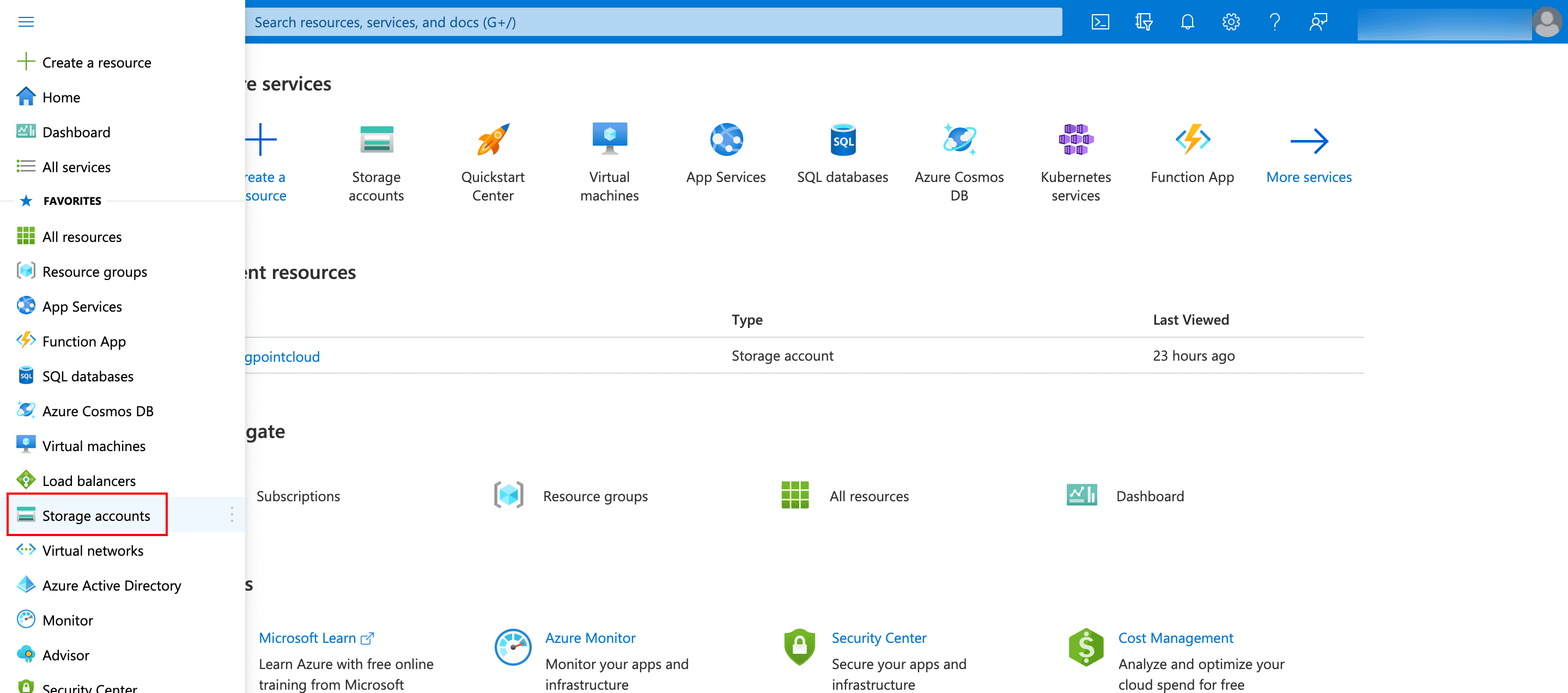
Selecting Storage Accounts
Click the name of your account.
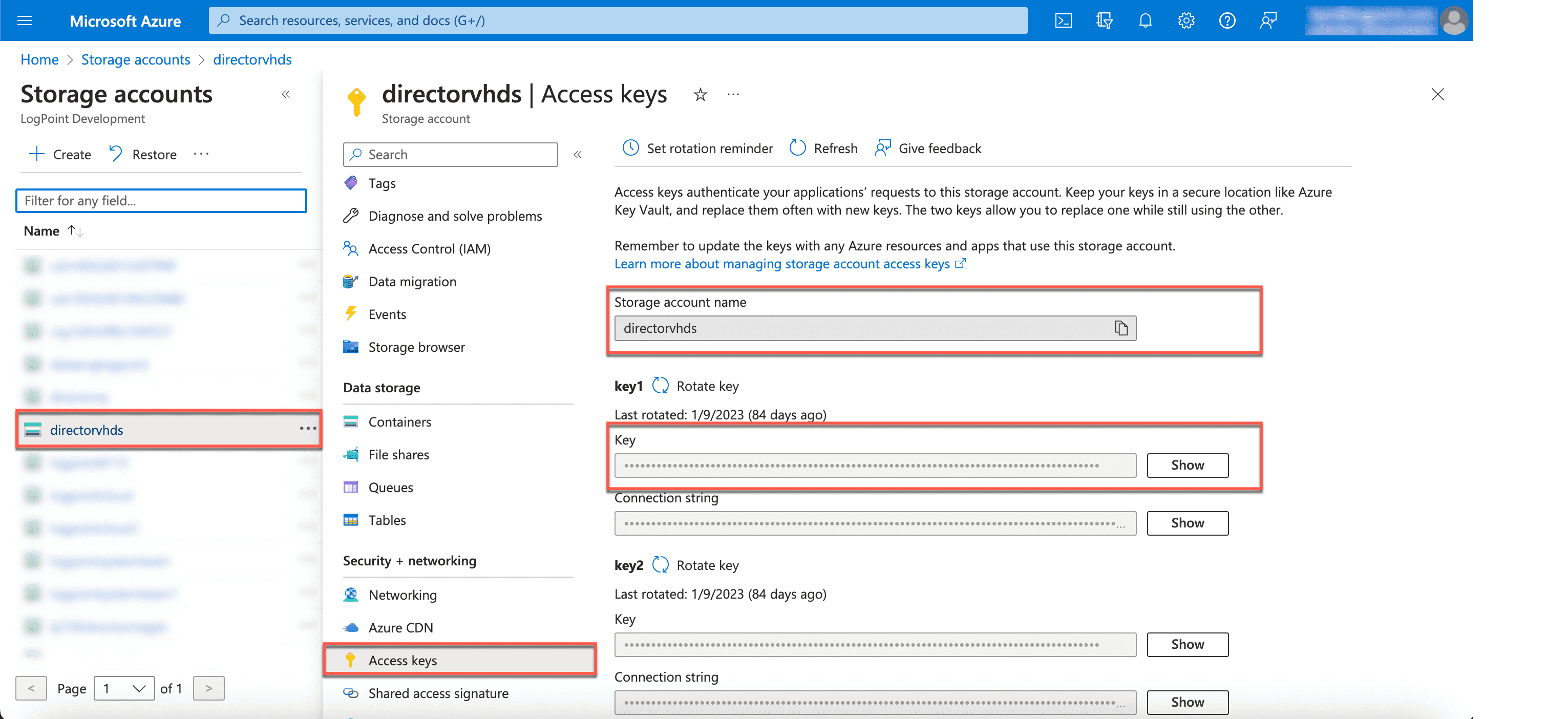
Obtaining Storage Account Name and Account Key
Click Access keys.
Copy the Storage account name and key1 or key2.
Copy the VHD through a command line interface for Fabric Server, API Server and LPSM individually. It may take up to 30 minutes to copy the VHD to the storage account. To track progress status, use the command:
az storage blob show -c <Name of the Storage Container> -n <Name of the VHD> --account-name <Storage Account Name> --account-key <Storage Account Key>
Open the Command Line Interface (CLI).
Enter the following command:
az storage blob copy start --destination-blob <Name of the VHD>.vhd --destination-container <Name of the Destination Storage Container> --account-name <Storage Account Name> --account-key <Storage Account Key> --source-uri <SAS URL of Director Azure VHD>
The parameters required to copy the Azure VHDs of Fabric Server, API Server and LPSM to your storage account are:
Name of the relevant VHD (in the .vhd format)
Name of the relevant Destination Storage Container
Storage Account Name
Storage Account Key
SAS URL of Director Azure VHD (provided by the Logpoint Sales team)